A web‑OS trading terminal, redesigned twice and shipped every month
PrintWorld is a browser-based trading terminal: a desktop with windows, a taskbar and 14+ connected apps for token discovery, launches, futures and analytics. I joined as founding designer and I'm still on it: two full redesigns, new apps built from zero, and every feature since, from the first prototype to the QA pass before release.
Role
Founding designer
Timeline
Jul 2025 → now
Team
2 designers in a team of ~20
Scope
Product, design system, motion, specs, QA
My role
Two full redesigns of the terminal: first as an operating system with windows and a taskbar, then re-tested with traders to unify the trading flow across every app.
Three apps designed from zero: Binder, Explorer and the Launch engine (NFT drops tied to a token, randomisation, an AI engine inside the launch). Part of the Ticker page, and a hand in every other app.
About fifteen features a month designed, prototyped and iterated; one app a month added or reworked.
Every feature tested on an interactive prototype before development and QA'd after it. I own delivery quality and write the feedback on what works, what doesn't and why.
The design system, the motion library and the specs that engineers and QA read.
Context
The product: fourteen apps on one desk
A trader opens Explorer, a ticker page, futures and an account window side by side. Every app is dense market data, and the product adds or reworks one app roughly every month.
The job is a moving target: redesign the whole terminal without stopping it, then keep every new app and feature consistent with what's already live, so fourteen apps still read as one desk.
ticker page · chart, trades and the order ticket
ticker page · positions and the PnL card
token explorer · launchpads
token explorer · trending
account · portfolio
account · referral
account · rewards
Redesign
Two redesigns, shipped in cycles
The first redesign turned the terminal into an operating system: windows, a taskbar, apps that open side by side. The second came from testing that with traders and unifying the trading flow across the apps. Neither froze the product: each cycle shipped, got used, and fed the next one.
Between the redesigns the feature work never stopped. Every new app and flow landed on the same system, was reviewed against its spec and tested before release.
01 · Redesign leadTwo full redesignsOS-style shell first, then the trading flow unified across apps. Each cycle live before the next.
02 · From zeroBinder, Explorer, Launch engineThree apps designed from scratch, including NFT drops tied to a token and an AI engine inside the launch.
03 · Every month~15 features, one appDesigned, prototyped and iterated on the same system, alongside whichever app is being added or reworked.
04 · Design QAAs much QA as featuresI test each build against its spec and write the feedback on why it works or doesn't.
Layout engine
Layout engine: a page traders arrange themselves
Every trader watches something different, so I designed the ticker page as a layout, not a screen. In edit mode blocks come in from a drawer on the left, drop onto the canvas, and the rest of the page reflows around them.
My part: the concept and the interactive prototype, then the development alongside the engineers. The prototype carries the real behaviour, not a picture of it: an empty state that explains itself, a “Block moved” toast with undo, a save bar that knows when nothing has changed, and a way back to the default layout.
features / layout-engine · edit mode
saved layout
dragging a block
Handoff
Spec, review, QA: how a feature reaches production
Nothing ships as a Figma link and a chat message. Each feature has a folder with the prototype, a spec page beside it and a handoff note, so an engineer, a designer and QA read the same thing.
Reviews happen against the spec page, then the build is tested against it. QA is the same volume as the feature work: for every feature that goes in, there is a test pass and written feedback on what fails, why, and how to fix it.
01 · PrototypeBuilt on the real kitThe behaviour lives in the running shell: states, edge cases and test-mode rows to click through.
02 · SpecA docs page beside itThe rule, the button, when it changes, edge cases to decide. Ticker back navigation, for example: seven sections, from the rule to a “For developers” part.
03 · Cases, played liveThe table runs in the shellEvery case in the spec opens the real prototype in that state, so review happens on behaviour, not on a description of it.
---
status: in-progress
owner: denys
---

# Ticker back navigation

| What      | Path                         |
|-----------|------------------------------|
| The spec  | ../ticker-back-docs.html     |
| Shell     | shell/assets/sidebar.js      |
| Ticker    | apps/ticker-page.html        |
| Test mode | shell/assets/shell.js        |
04 · Handoff noteOwner, status, where files liveA short README with the owner and status, a table of every file and function to touch, and a “For developers” section with messages and state.
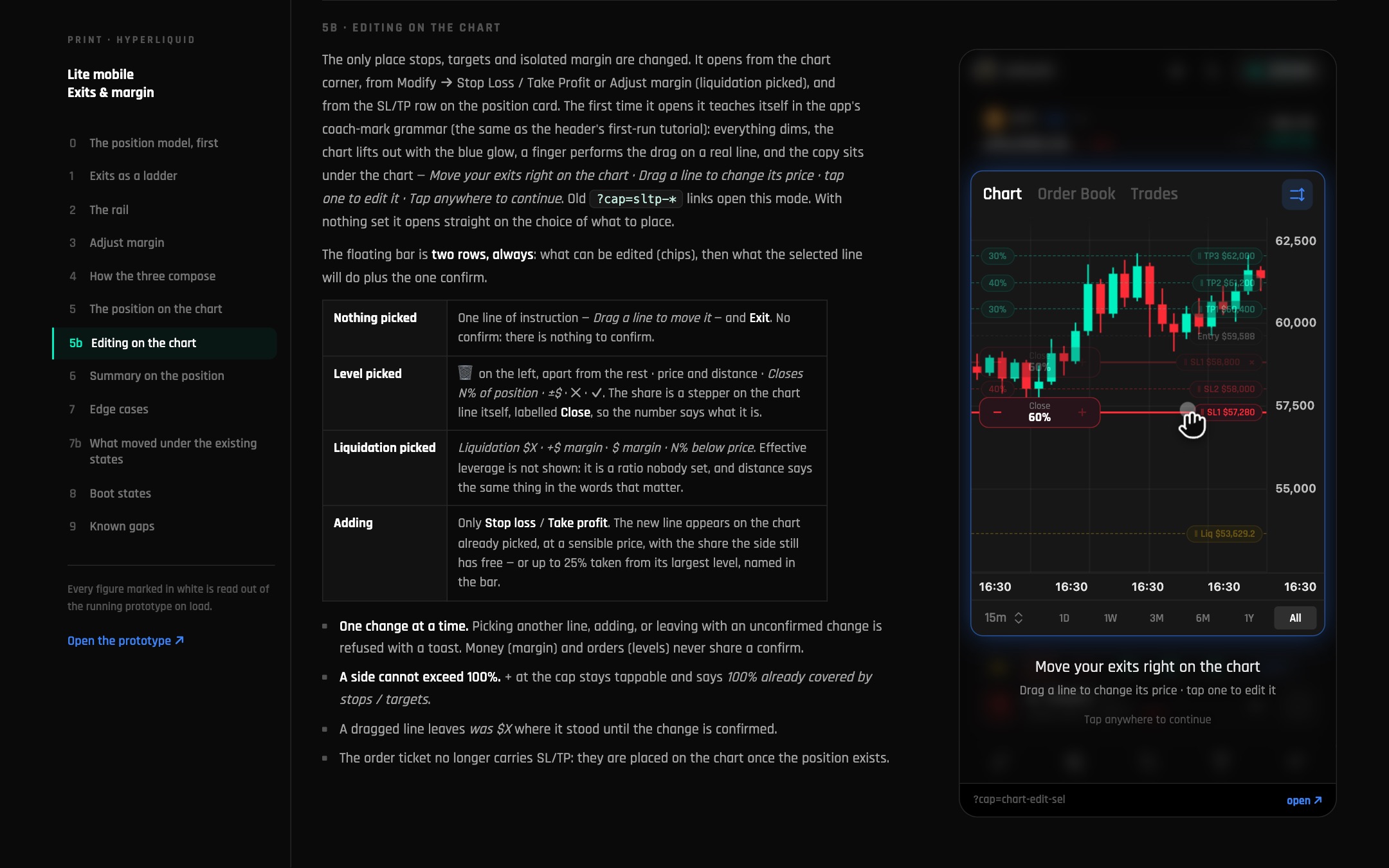
hyperliquid-docs · editing on the chart
handoff / perps-101 · primer for the team
features / copy-to-open · spec
hyperliquid-docs · edge cases
Motion
Motion library for trading and AI states
Market UIs have moments most kits never cover: a reward landing, a level unlocked, a button confirming an AI action, a hover that carries meaning. I designed a motion library for these moments so they read the same in every app, plus an internal mini motion engine that lets us tune each one by hand instead of accepting whatever a generator produced.
Played live from the prototype: the notification kit for rewards and referrals. Each moment has its own entrance, hold and exit, and the kit page walks the team through all of them.
moment-kit · all six moments, handed off as one page
milestone · your first $10
level up · level 4 unlocked
referral · first earning
referral · hourly digest
PnL card
PnL card: a result worth sharing
Traders share wins, so I designed the PnL card as a small editor, not a screenshot: pick the position, switch backgrounds, go square for stories or wide for X, show dollars or percent. On the terminal it reacts to the cursor with a glow, a moving border and a slight tilt. Concept and prototype first, then the development with the team.
ticker page · PnL card editor
hover · glow, border and tilt
Trading
Editing on the chart
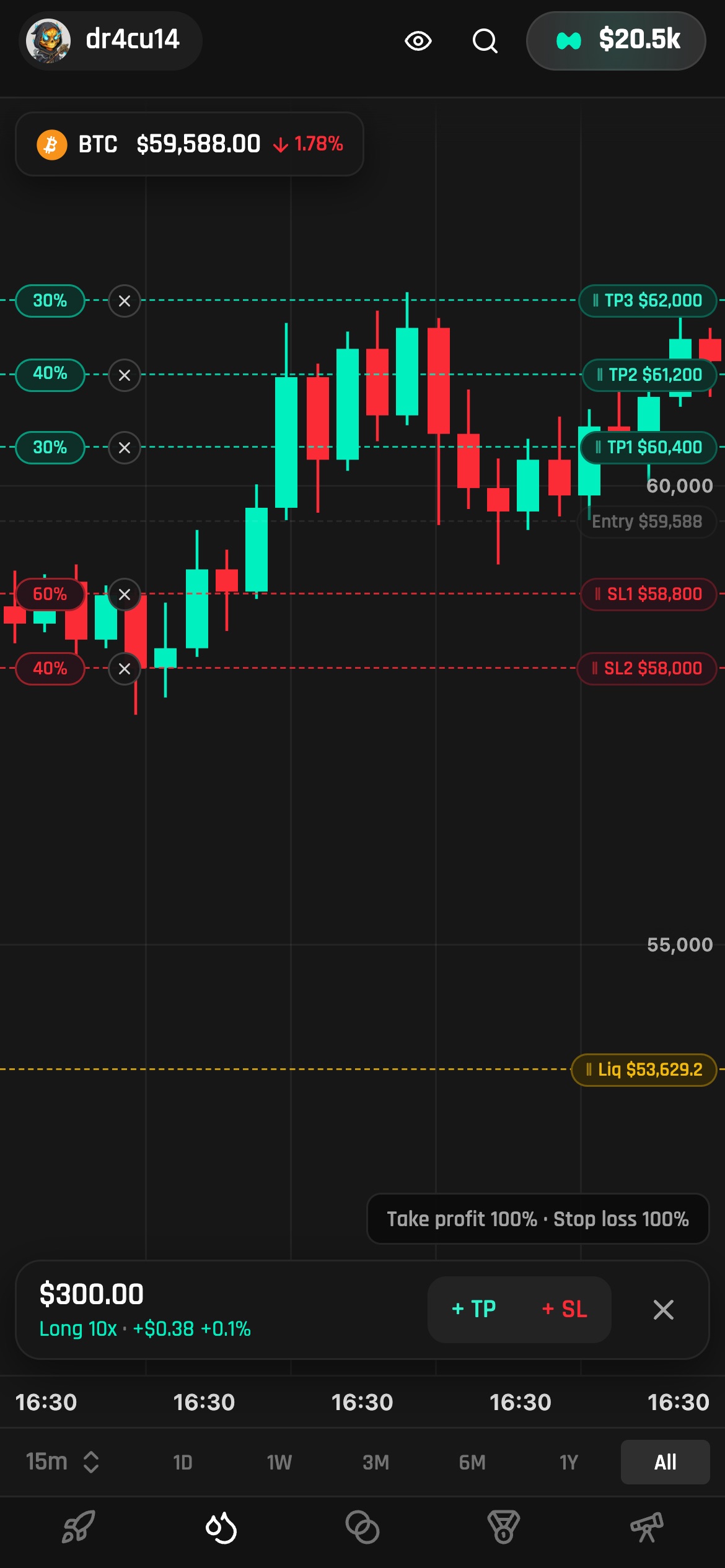
Hyperliquid Lite is one of the terminal's apps. I designed an edit mode where stop loss, take profit and margin are adjusted on the price itself: add a level, drag its tag, and the order panel follows. The full story has its own case.
hyperliquid.html · margin, TP and SL set on the chart
 Denys Rudenko
 PrintWorldFounding designerJul 2025 → now